Skip to content
    Logistics Central

    Scan your crossdock with an app you configure yourself

    Shipping units get a status, location and timestamp during unloading and loading — through a web application that runs in any browser, connects to your TMS or WMS, and whose screens you configure entirely yourself.

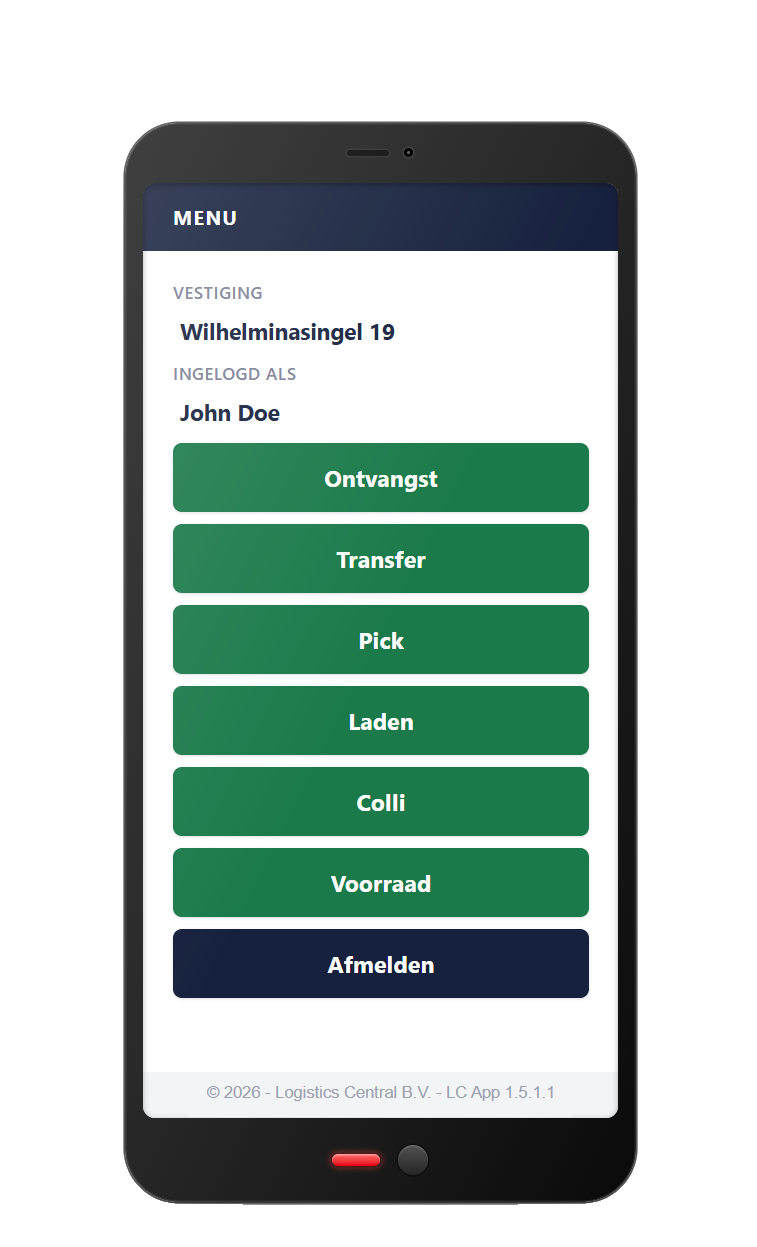
    The Logistics Central Scan App on a handheld scanner
    Scan App
    • 0

      installations per device — a browser is enough, on Android and Windows CE

    • 100%

      of screens and process steps configurable without custom code

    • 3

      connection types to TMS and WMS: SQL, web services (SOAP, OData) and EDI

    01 — The problem

    A crossdock runs on pace, not on memory

    Between unloading and loading, a shipment disappears from view. It is somewhere on the crossdock, but not in a system. Shortages and damages surface late, searching costs minutes per shipment, and those minutes grow with every extra goods movement.

    The Logistics Central Scan App closes that gap. Every shipping unit gets a location and a status on receipt, and a check on loading — with timestamp and employee. The app is fully web based, connects to the TMS or WMS you already have, and works on any device with a browser.

    02 — Characteristics

    Four characteristics that set the Scan App apart

    • 01

      Fully web based

      Support on any platform with a browser. No client per device, no rollout project with every update, and free choice of hardware.

    • 02

      Connects to TMS and WMS

      Integration via SQL databases, web services (SOAP, OData) and EDI. Connections for NaviTrans and Transpas already exist.

    • 03

      Self-configurable

      You build screens and processes through a graphical interface: fields, buttons, statuses, units and exception codes.

    • 04

      AI-supported optimisation

      Existing configurations are analysed and sharpened with AI: shorter screen sequences, fewer actions, fewer input errors.

    03 — Process

    From incoming trailer to green light for the driver

    1. Step 01

      Accurate unloading

      The employee logs in with their own barcode and picks a branch and type of work — in their own language, supported by icons. On arrival they scan the unloading list, or simply any pallet: the app finds the matching trip. If weight, dimension or unit is wrong, they correct it right away. On damage they take a photo, instantly stored in the system.

    2. Step 02

      Smooth loading

      The employee picks a trip list or scans the dock. The app shows which shipments belong to that truck, where they are located and in which order they should be loaded. Only when everything is handled — loaded, short or exception — do both the floor and planning get the green light.

    04 — Scenarios

    The happy flow is the exception, not the rule

    A scanning solution proves itself in what goes wrong: orders not yet received, missing labels, an incomplete truck. The app handles these situations as fixed routes, not as failures.

    • Fully unloaded
      Yes
      Yes

      Happy flow — scan and store directly.

    • Fully unloaded
      Yes
      No

      Labels are applied on the floor, then the regular process.

    • Unloaded
      No
      Yes

      To the quarantine bay until the order arrives.

    • Unloaded
      No
      No

      To the quarantine bay; contact the customer.

    • Incomplete
      Yes
      Yes

      Finish via the scanner after the trip: shortage or extra line.

    • Incomplete
      Yes
      No

      Label it yourself, then finish as above.

    05 — Results

    What it delivers on the floor and beyond

    • Track shipments

      Every shipping unit can be followed across the whole crossdock; searching for goods becomes the exception.

    • Real-time insight

      Exceptions are visible the moment they occur, so you steer proactively instead of repairing afterwards.

    • Better track & trace

      Timestamps for receipt and loading, including a photo on damage — information you can share with your customer sooner.

    • Space and lead time

      Simultaneous loading and unloading uses floor space better and shortens crossdock lead time.

    • Control and engagement

      Insight into who handles what gives grip on staffing and increases employee engagement.

    • Damage recorded

      A photo with the report turns later discussion into a matter of fact instead of word against word.

    06 — Requirements

    Scanning is only as good as the data beneath it

    Four conditions determine whether the process runs smoothly. They are not a technical side issue but part of the project — usually the part that takes the most lead time.

    1. 01

      Orders on time

      Customers send orders with goods lines per shipping unit, and those orders arrive before the goods do.

    2. 02

      Unique barcode

      Every goods line has its own unique barcode — preferably following the GS1 standard (SSCC).

    3. 03

      Usable labels

      Label and barcode meet minimum requirements for format, placement and readability.

    4. 04

      Customer agreements

      Converting EDI customers to barcode data runs in parallel with implementation. Start early and you go live without exceptions.

    07 — Technology

    Not an isolated island on your floor

    The Scan App is a web application. There is no client to roll out and maintain per device: anything with a browser can work with it — from rugged Android handhelds to older Windows CE scanners that will last for years. Hardware choice becomes an operational decision, not a software limitation.

    The connection to your existing landscape runs via SQL databases, web services (SOAP and OData) and EDI. Connections for NaviTrans and Transpas already exist. Adabt has been building data integrations for transport and logistics companies for years, with Lobster Data as integration platform — the Scan App stands on that same foundation.

    In practice

    A nationwide distributor in the Benelux

    A nationwide distributor, specialised in everything between parcel and pallet, moved to a new site with far more crossdock space. With a growing number of goods movements the process hit its limits: no registration on the floor, shortages surfacing late, and customers waiting for information.

    Together with Logistics Central the process and crossdock layout were revised first, and only then was scanning set up — integrated with the existing TMS, with GS1 labels (SSCC) as the basis for unique barcodes per goods line. Result: accurate checks at receipt and loading, exceptions recorded instantly with a photo, and a crossdock where nobody asks "where is it?" anymore.

    08 — Implementation

    From first meeting to live

    1. 01

      Process analysis

      Blueprint of the crossdock process, the floor layout and the scenarios that really occur.

    2. 02

      Barcode & data

      Unique barcode per goods line, label agreements with customers, converting EDI flows.

    3. 03

      Setup & integration

      Configure screens, connect to TMS/WMS, test with real shipments.

    4. 04

      Training & go live

      A short instruction on the floor — the app is self-explanatory — then live, with fine-tuning in the first weeks.

    Contact

    Curious how the Scan App fits your process?

    Get in touch for more information or a demo. We show the app on your own processes and scenarios, and give a targeted quote based on that.